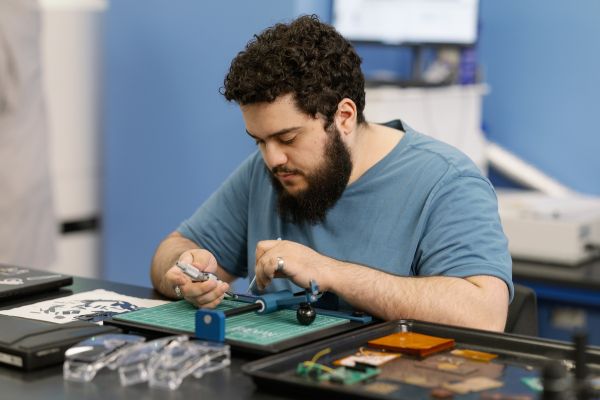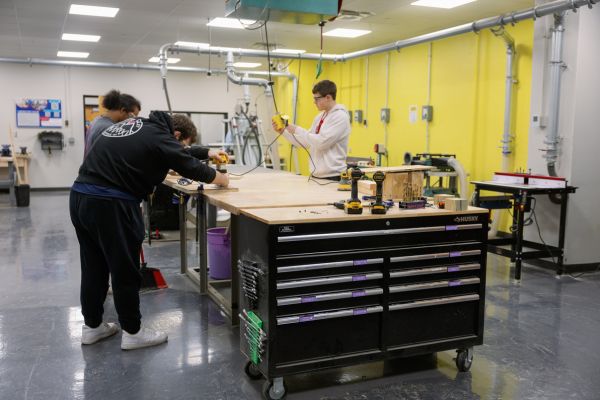
At the University of Dayton School of Engineering, learning by doing is at the heart of a student’s education.
Moussa Hamzi, an electrical engineering master's student, exemplified this principle by leading the redesign of the UD Makerspace’s check-in and safety training confirmation process during his time as an undergraduate student. Through the use of Cursor AI, Hamzi leveraged modern solutions to create the new Makerspace Training Records App that enhanced the student experience.
The UD Makerspace is a gathering space for like-minded students set out to collaborate and create. The lab is used by campus organizations, senior design teams, faculty and staff to build personal or class projects. Until recently, the previous check-in system that confirmed if a user had completed required safety training relied on an outdated version of Microsoft Access. As a student worker in the Lab Management Office, Hamzi saw an opportunity to create a stronger mechanism to track facility usage statistics and ensure campus safety protocols were maintained.
The old system relied on manual processes that lacked modern functionality and speed. On the student end, the interface was slow to boot and lacked basic features like partial-name search, while the output was limited to a simple nametag printout that users wear when in the space. Administratively, student training records had to be manually downloaded from SciShield and reformatted for import into the system. This manual data entry created a significant lag, needing students to wait for system updates before their training status was recognized. The previous system lacked any data collection capabilities, leaving the facility without measurable insights into its operations.
“I saw a need for a new and improved system,” Hamzi said. “The current system collects data from where you are going to work, why you are there, and how long you were there after using the sign-out feature. This data is extremely useful, as it tells us what areas need more attention so the student experience is improved.”
Beginning the project in January of 2025, Hamzi overcame the significant technical challenge of developing a fully functional application from the ground up without an existing framework. To navigate this challenge, Hamzi utilized Cursor AI as a primary collaborator.
“Cursor is a program that acts like a middleman that allows the AI model to interact with the files on your computer, and do things like create code to make apps,” said Hamzi. “Cursor hands the AI a set of tools and uses them to complete a request.”
Six months into development, Hamzi experienced a setback when the file folder of the initial code was nowhere to be found. However, this forced a rebuild using newer and more efficient AI thinking models. Hamzi initiated the rebuild by detailing the original functionality, documenting every existing feature and defining precise requirements for the new system. By providing this framework to a newer, more advanced version of the AI model in Cursor, Hamzi leveraged its new processing capabilities to create a more efficient and robust codebase than the initial iteration.
“The new AI model was a lot more capable than what I started out with, it wrote much higher quality code that had way less issues, and functioned better,” Hamzi said. “The interface ended up looking better, and all the while it made the app much quicker than previously. It ended up allowing for a more capable app.”
The system is now fully operational, providing a seamless interface where students simply enter their UD ID number or full name and select a reason for their visit on the provided iPad. To prioritize safety and operational efficiency, the application is deeply integrated with the university ecosystem, automatically verifying that each student has completed the required safety certifications on Canvas.
Upon a successful sign-in, the system generates a printed label displaying the student's name and specific symbols that indicate their training credentials. This allows facilitators to verify at a glance that a student is qualified to operate equipment in a given area. For lab management, the application provides critical data regarding attractive spaces and facility usage time, enabling more informed decisions about resource allocation.
Hamzi attributes his refined understanding of effective AI collaboration directly to the challenges and successes of this project.
“Without using AI, this project would have taken years,” Hamzi said.
He noted that without these tools, a significant amount of time would have been spent simply reaching the technical proficiency that AI already possesses. Manually writing the code would have extended the timeline considerably, as the AI models were able to generate complex structures much faster than a human could type.
“Thinking models are powerful tools for engineers, but we must learn how to use them effectively and ethically,” Hamzi said.
He is currently pursuing a master's degree in electrical engineering, continuing to work in the Lab Management office and plans to pursue a doctorate in electrical engineering.
Through the work of Hamzi, the UD Makerspace has become a more efficient environment for students to use its resources, making a space where the infrastructure is as innovative as the work being done inside the walls.